Vendor Work Orders
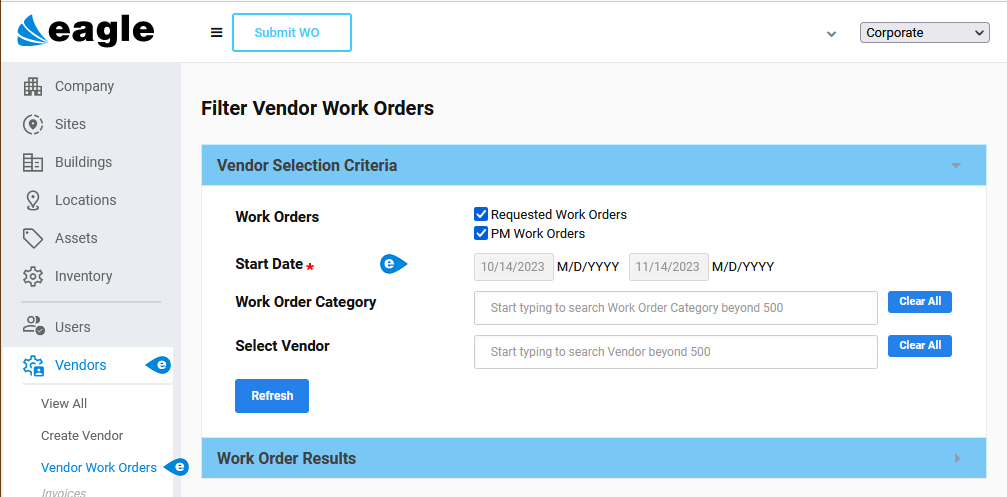
Path: Vendors > Vendor Work Orders
The Vendor Work Orders window is an easy way to filter and review work assigned to vendors by date, category, vendor, and Work Order type (Requested and PM). Once you have results, you can print or export them.
 Filter Vendor Work Orders
-
Open the Vendor Work Orders window.
-
Choose the required Start Date range indicated by a red asterisk.
-
(Optional) Clear one of the Work Orders box(es) (Requested or PM).
-
(Optional) Refine the search using Work Order Category and Select Vendor.
-
Click the Refresh button.
Work Orders display in the Work Order Results section.
NOTE: The standard CSV and Multi-Print buttons display at the upper right of the Work Order Results section. Use these if you need to preserve the list or forward it to others.